NEWT Professional Network Inventory2.5.245
Publisher Description
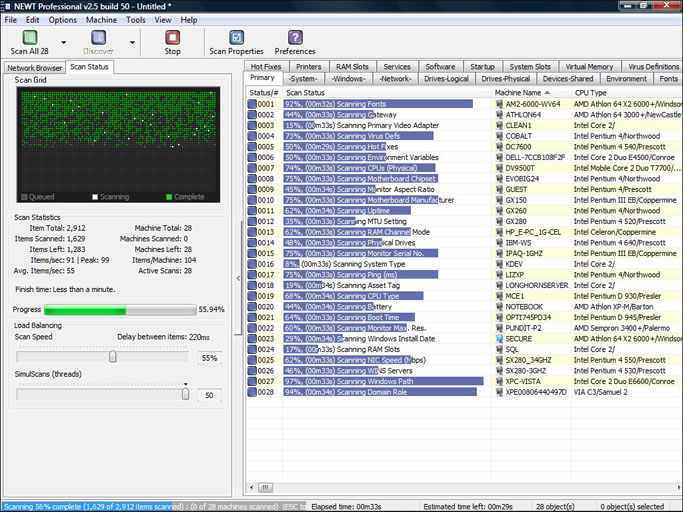
Inventory and discover all computers using NEWT Professional network inventory. Gather important hardware and software information without ever having to visit a remote machine. NEWT uses advanced audit methods to retrieve the data you need into an easy-to-read spreadsheet-like view. Export all data to an MS Access database to generate detailed queries. Scannable information includes CPU (type, speed, cores, etc.) CPU temperature, operating system, Windows product keys, IP address, network adapter, serial number, asset tag, video adapter, audio card, computer monitor info (serial number, size in inches, type, etc.), hard drives (size, types such as IDE, SATA, serial number, SMART health status, manufacturer, power on hours, power cycles, etc.), logical & network drives (drive letter, type, free space, partition size, etc.), network share info, memory slots info (including manufacturer, speed and type), hot fix info, installed applications (software name, publisher, version, product keys, install path, etc.), printers, Windows services, fonts, environment variables, system slots, virus definitions, startup programs, and many others. Export data to CSV, HTML, Text files or a fully relational MS Access database.
About NEWT Professional Network Inventory
This Network Monitoring program is available in English. It was last updated on 29 September, 2026. NEWT Professional Network Inventory is compatible with the following operating systems: Windows, Windows-mobile.
The company that develops NEWT Professional Network Inventory is Komodo Laboratories LLC. The latest version released by its developer is 2.5.245. This version was rated by 1 users of our site and has an average rating of 3.0.
The download we have available for NEWT Professional Network Inventory has a file size of 4.2 MB. Just click the green Download button above to start the downloading process. The program is listed on our website since 2012-10-17 and was downloaded 342 times. We have already checked if the download link is safe, however for your own protection we recommend that you scan the downloaded software with your antivirus. Your antivirus may detect the NEWT Professional Network Inventory as malware if the download link is broken.
How to install NEWT Professional Network Inventory on your Windows device:
- Click on the Download button on our website. This will start the download from the website of the developer.
- Once the NEWT Professional Network Inventory is downloaded click on it to start the setup process (assuming you are on a desktop computer).
- When the installation is finished you should be able to see and run the program.
Program Details
System requirements
Download information
Pricing
Version History
version 2.5.245
posted on 2012-10-17
Fixes a number of bugs in our network inventory and network scanning software.
version 2.5.120
posted on 2009-03-16
Network inventory speed improvements & new gathering methods.
